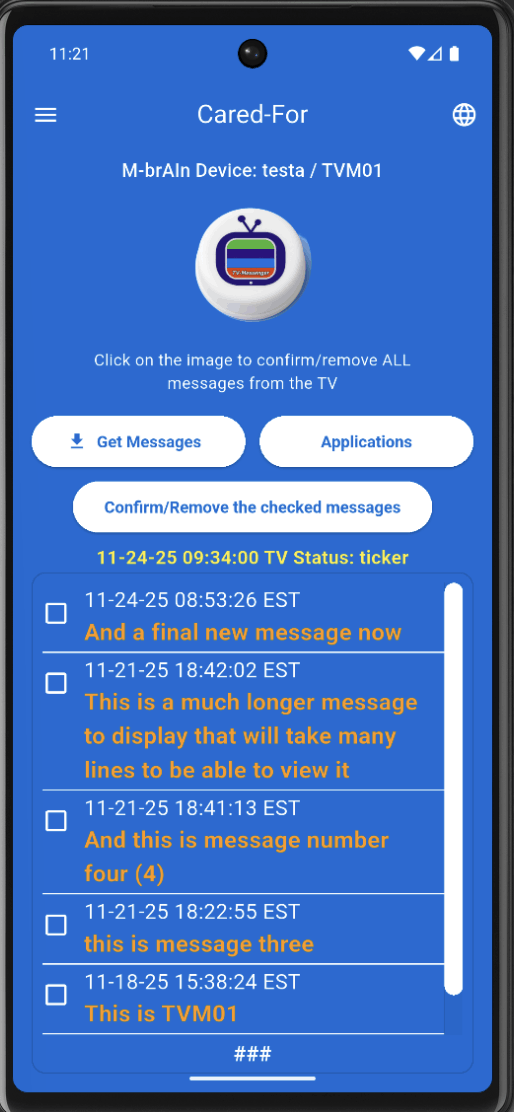
Send Message screen (basic)
What this screen is:
This is what the Cared‑For sees on their TV: a list of messages and ticker status.
How to use it:
1. Use the TV interface to Get Messages.
2. View each message with timestamp and text.
3. Use the “Confirm/Remove the checked messages” option to clear selected messages.
4. The top image can be clicked (via remote) to confirm/remove all messages.